

Products
The Products page is the merchandise and add-ons version of the Home page. Same layout, same date-range picker, same widgets, but scoped to non-ticket revenue: food, drink, parking, merch, hotel packages, whatever your storefront sells alongside tickets.
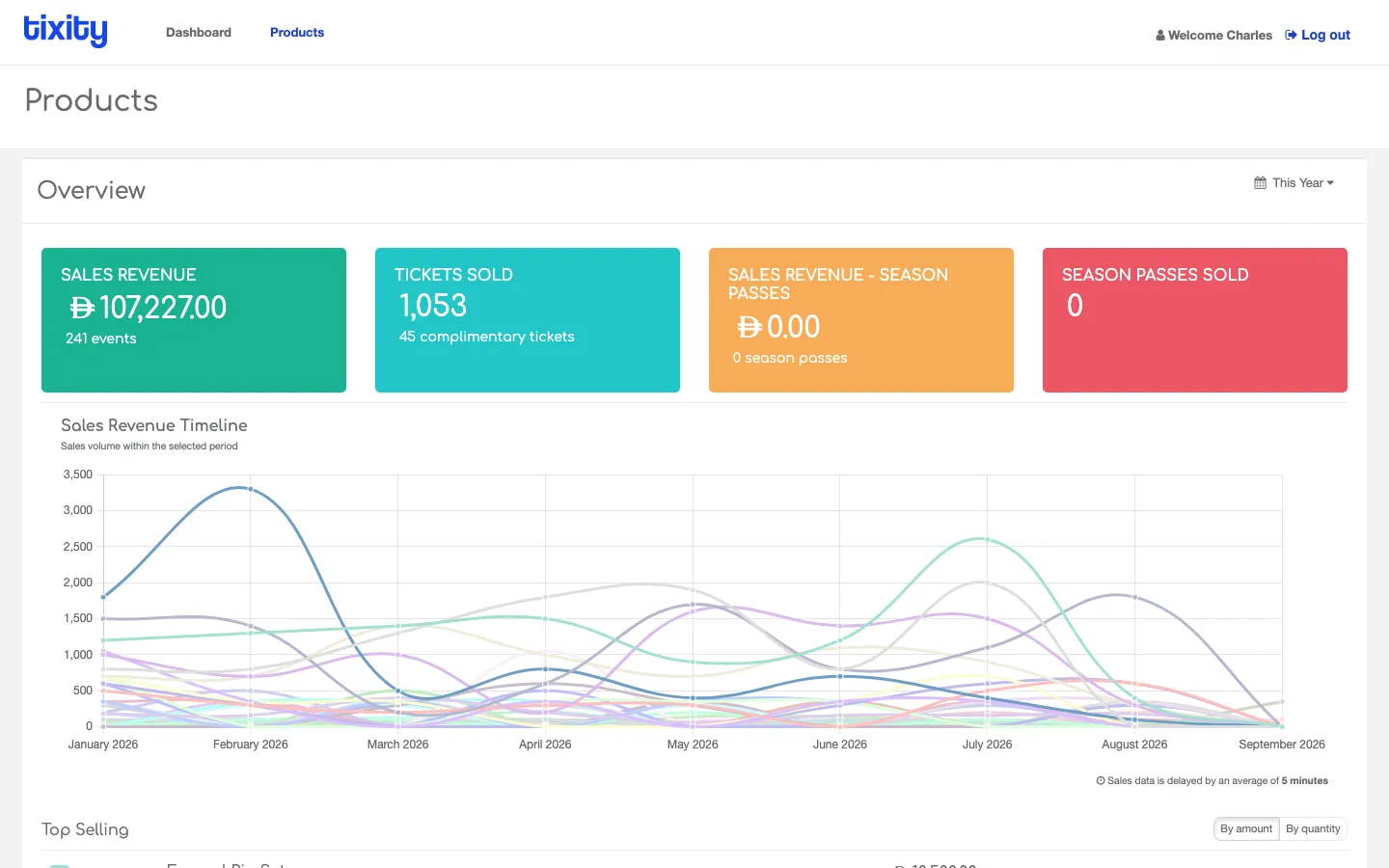
The tab only appears in the top nav if products or add-ons are enabled for your account.
What’s the same
Everything from the home page carries over:
- SALES REVENUE widget, scoped to product revenue with an events count
- TICKETS SOLD widget — labelled the same but counts add-on / product units here, plus complimentary units
- Season Passes widgets when relevant
- Sales Revenue Timeline with one line per product
- Top Selling with the By amount / By quantity toggle
- Date-range picker with the standard presets
What’s different
- The widgets never include ticket revenue, if you want the combined picture, look at the individual event’s Overview.
- The embedded list at the bottom is the products list (same table layout as Events, scoped to add-ons and merch).
Common workflows
- End-of-month merch report — set to Last Month and use Top Selling By quantity to see what’s moving.
- Compare parking against food — filter Top Selling by category (via the individual event page), and see whether upsell add-ons are pulling their weight.
- Reorder cutoffs — pair this with the individual add-on’s Breakdown to see remaining stock.
Tip: Products revenue on this page comes from every sales channel including POS. If the number doesn’t match a POS Daily Sales report, check whether the POS report is scoped to a single store while this view spans every store on your account.