
Events
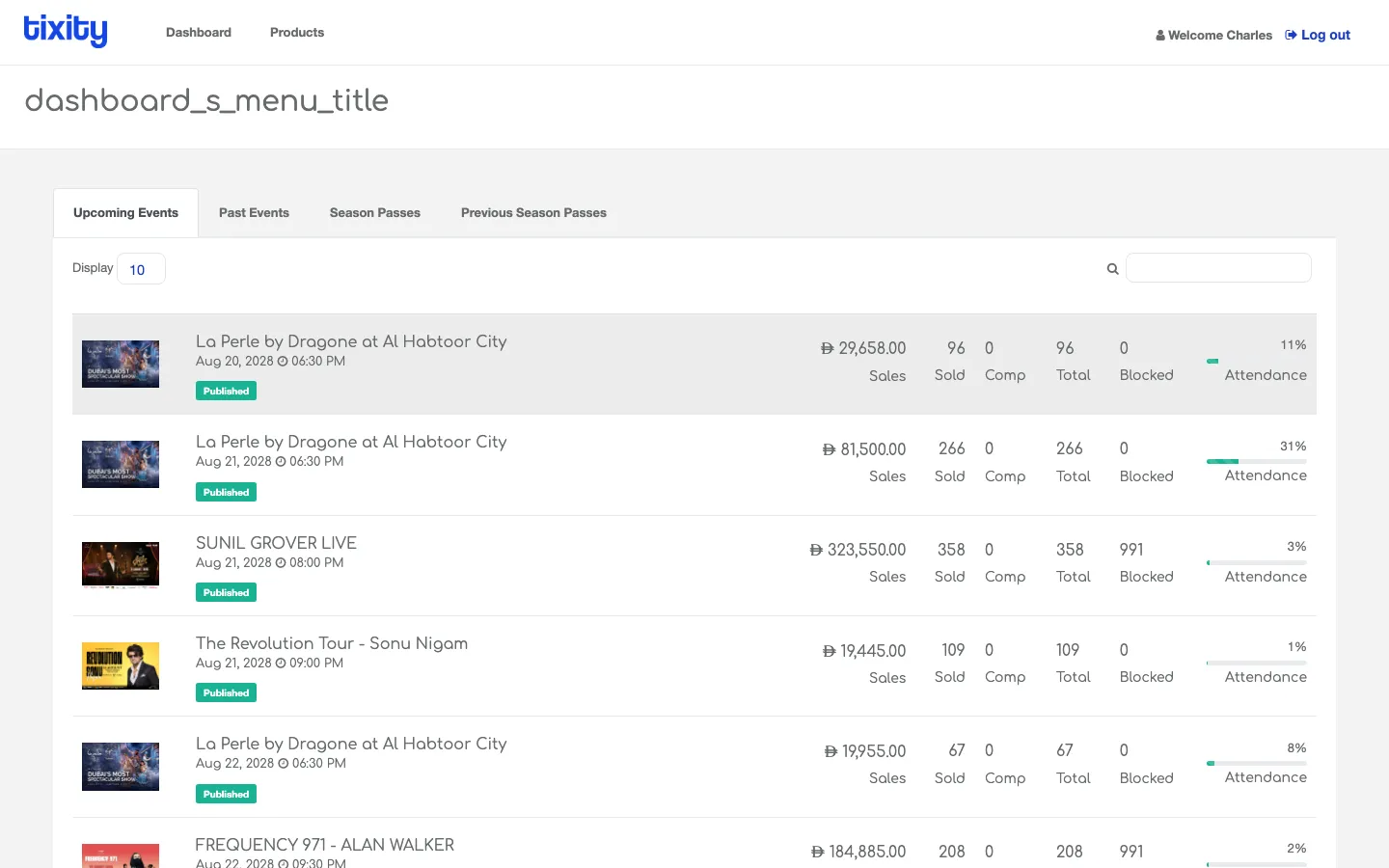
The Events page is a full-page listing of every event your account can see, split by whether they’re upcoming, past, or a season pass.
The four tabs
The tabs at the top of the page switch which slice of the catalogue you’re looking at.
| tab | shows |
|---|---|
| Upcoming Events | Every event whose date is today or later |
| Past Events | Every event whose date has already passed |
| Season Passes | Season passes still valid |
| Previous Season Passes | Season passes that have expired |
The default landing tab is Upcoming Events.
The table
Each row is one performance. From left to right:
| column | meaning |
|---|---|
| Poster | Event image thumbnail |
| Name and date | Event name with the performance date and time below |
| Status pill | Published, Paused, or the internal state of the event |
| Sales | Total revenue for this performance |
| Sold | Tickets sold |
| Comp | Complimentary tickets issued |
| Total | Sold + Comp |
| Blocked | Seats blocked out of sale |
| Attendance % | Sold as a percentage of the event’s total capacity |
The Display dropdown in the top-left of the table sets rows per page (default 10). The search box in the top-right filters by event name, live as you type.
Past Events
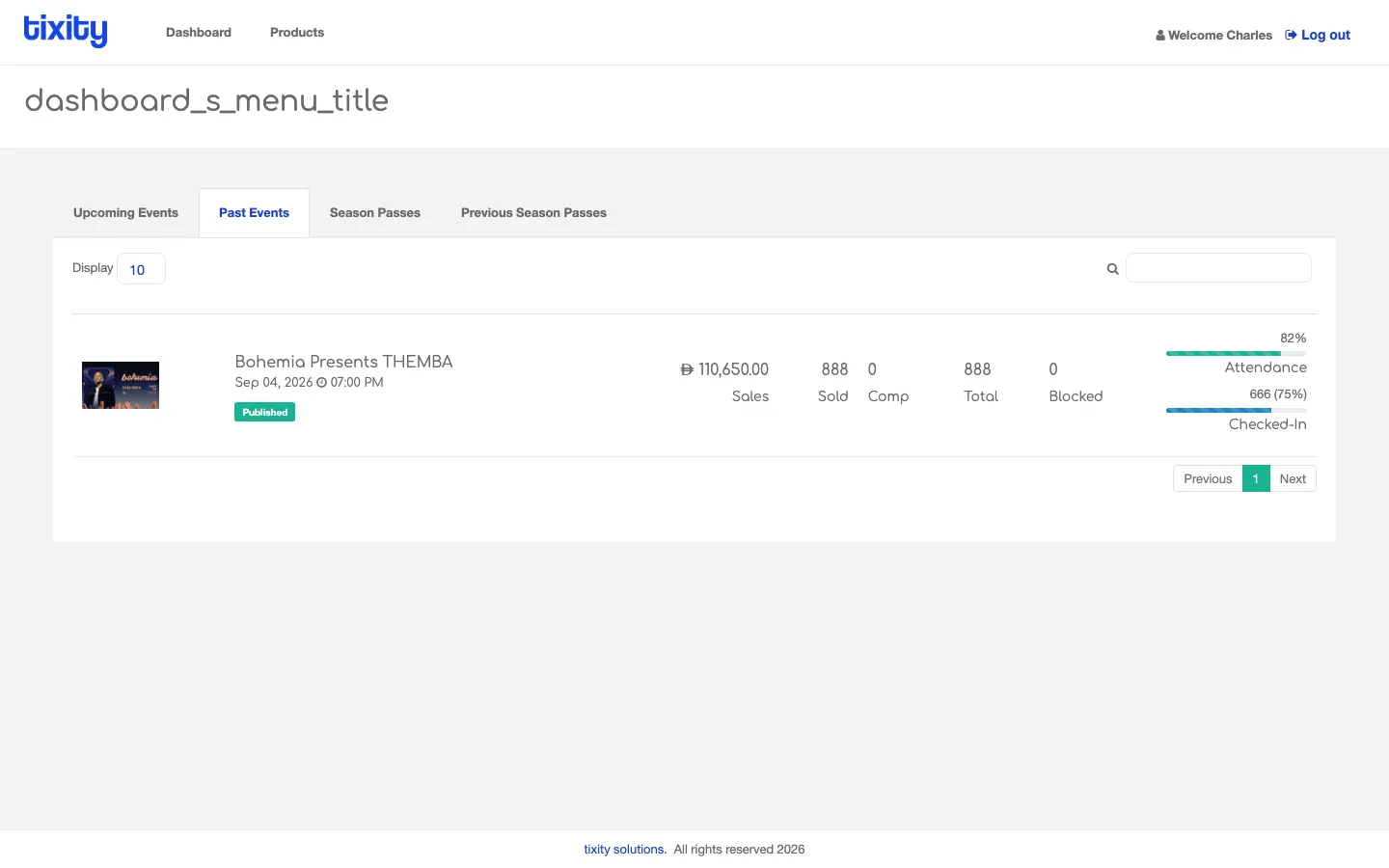
Same columns, different scope. Useful for post-mortem reviews and reconciling against final settlement.
Opening an event
Click any row (or the event name) to open the Event detail page. You’ll land on the Overview tab by default, and can move through Breakdown, Add-ons, Attendees, Accounting, and Analytics from there.
Tip: Multi-performance runs (like a two-week theatre residency) are usually structured as one “main” event with each night as a sub-event. Each sub-event gets its own row here, and the event detail page has an “ALL SHOWS” selector at the top that rolls them up.