

Event add-ons
The Add-ons tab lists every optional extra attached to the event: food, drink, parking passes, hotel packages, merchandise, whatever the event supports. It only appears if the event is configured with add-ons.
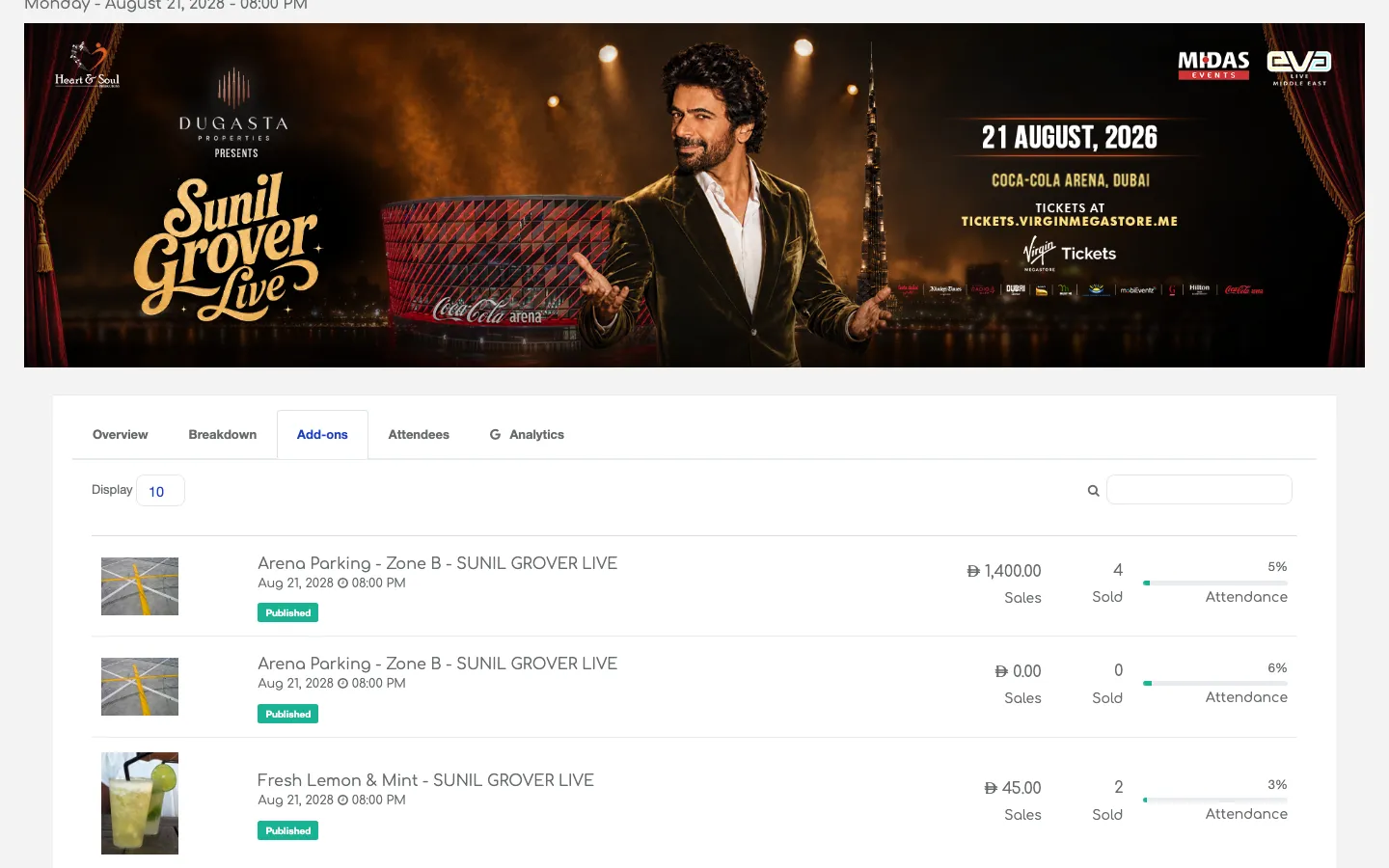
Reading the list
Each row is one add-on product. Same table layout as the main Events list, so if you know that, you already know this:
| column | meaning |
|---|---|
| Image | The add-on’s photo (from the storefront) |
| Name and event | Add-on name with the parent event underneath |
| Status pill | Published, Paused, or the internal state |
| Sales | Revenue for the add-on |
| Sold | Units sold |
| Comp | Complimentary units issued |
| Total | Sold + Comp |
| Attendance % | How much of the add-on’s stock has moved |
Opening an add-on
Click any row to open the add-on’s own detail page. You get the same tabs as an event (Overview, Breakdown, Attendees, Analytics), scoped to that add-on only. This is how you’d answer “how many hot dogs did we sell at last week’s game, and to whom?”
Common workflows
- Merch reprint decisions — check Available on the Breakdown of a t-shirt add-on to decide whether to reorder.
- Package performance — for a “ticket + hotel” package sold as an add-on, use the Attendees tab to see the actual guest list.
- Parking capacity — parking is often sold as a fixed-stock add-on. Watch Sold vs Attendance % as the event approaches.
Tip: Not every event has add-ons. If the tab isn’t visible on an event, the event wasn’t set up with any extras — that’s not a permission issue.