

Seatmap designer
The seatmap designer is tixity’s tool for creating and managing venue seating layouts. It gives you full control over seat placement, labeling, pricing categories, and access configurations — all from a visual interface.
Who this guide is for
This guide is written for venue operators, event coordinators, and ticketing managers who need to create or edit seatmaps for their venues and events.
What you can do
The designer supports six operating modes, each focused on a specific task:
| mode | shortcut | purpose |
|---|---|---|
| drawing | 1 | create and arrange seats, sections, tables, and decorative elements |
| labels | 2 | assign row and seat numbering schemes |
| grouping | 3 | group seats together and manage spacing |
| categories | 4 | assign pricing categories and colors to seats |
| pos | 5 | allocate seats to point-of-sale channels |
| block | 6 | block seats, apply holds, and mark restricted views |
Layout types
Before drawing, you choose one of four layout types:
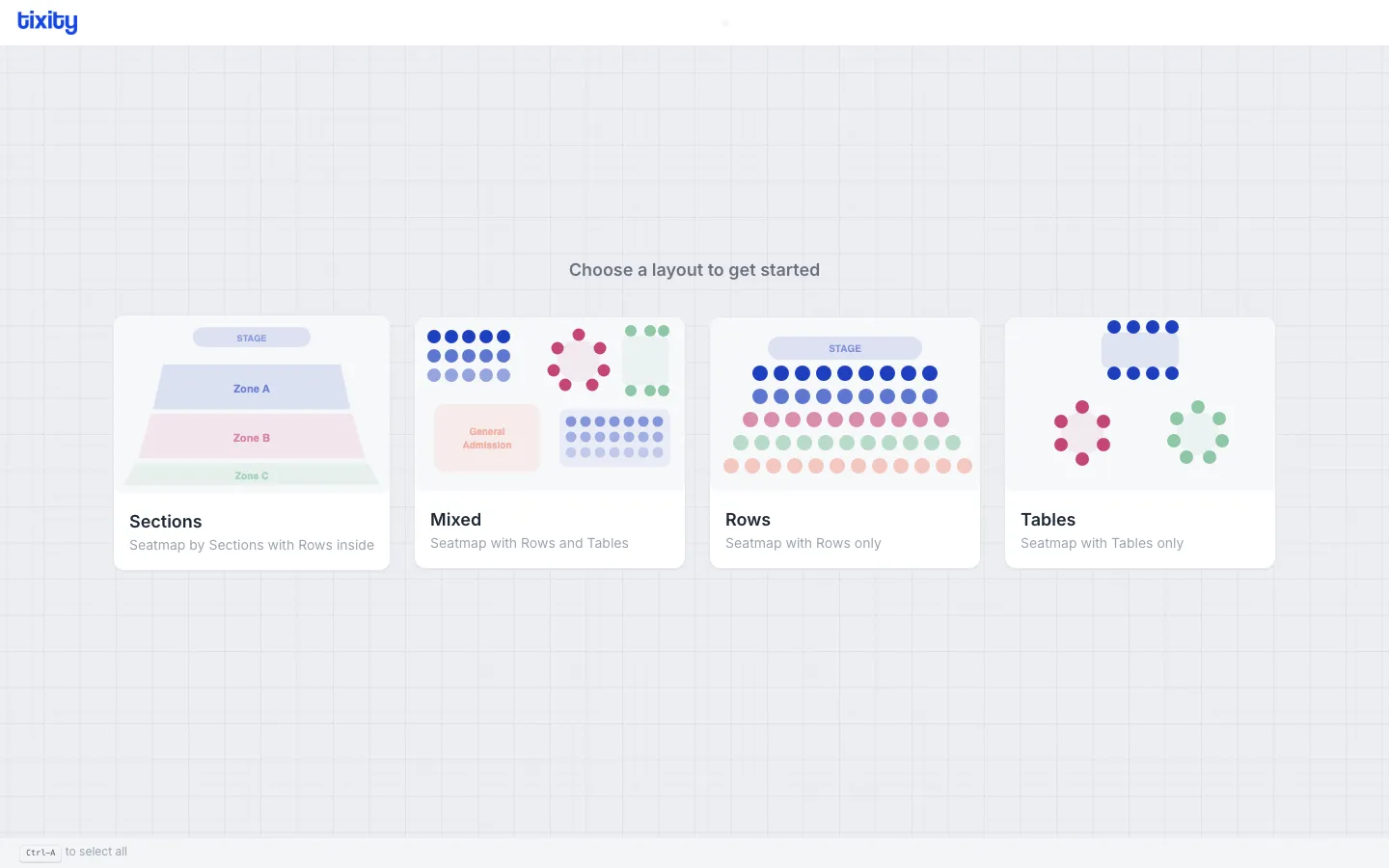
- sections — divide the venue into named zones, each containing rows of seats
- mixed — combine rows and tables in the same seatmap
- rows — rows of seats only, no sections
- tables — table-based seating only
The layout type determines which drawing tools are available. You can always start over and pick a different layout.
Interface overview
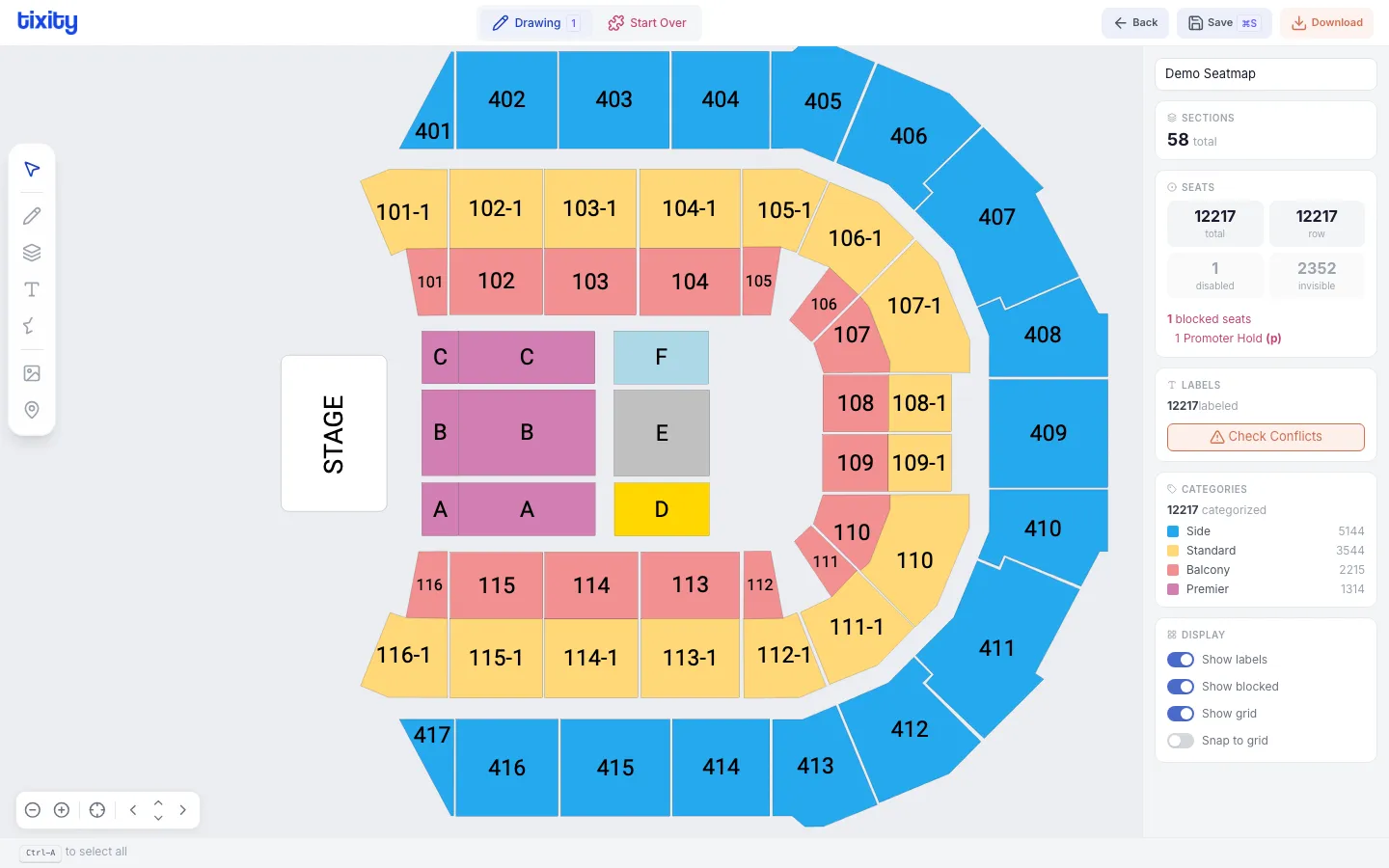
The interface has four main areas:
- top bar — mode switcher, save/download buttons, and navigation
- left sidebar — drawing tools (visible in drawing mode)
- canvas — the main workspace where you draw and arrange elements
- right panel — statistics, category info, and display toggles
Use the camera controls in the bottom-left corner to pan and zoom the canvas.