

Notifications
The app receives live push notifications to keep your scanning team aligned during events.
Types of notifications
| notification | description |
|---|---|
| capacity warnings | Alerts when a zone or entrance is approaching capacity |
| gate changes | Updates about entrance assignments or closures |
| operational alerts | Delays, crowd issues, or schedule changes |
| admin messages | Custom messages from your event operations team |
How notifications work
Notifications are pushed in real time to all devices connected to the event. When a notification arrives:
- A banner appears at the top of the screen
- The notification is saved in the notifications tab for reference
- A badge count shows unread notifications
Admin notifications
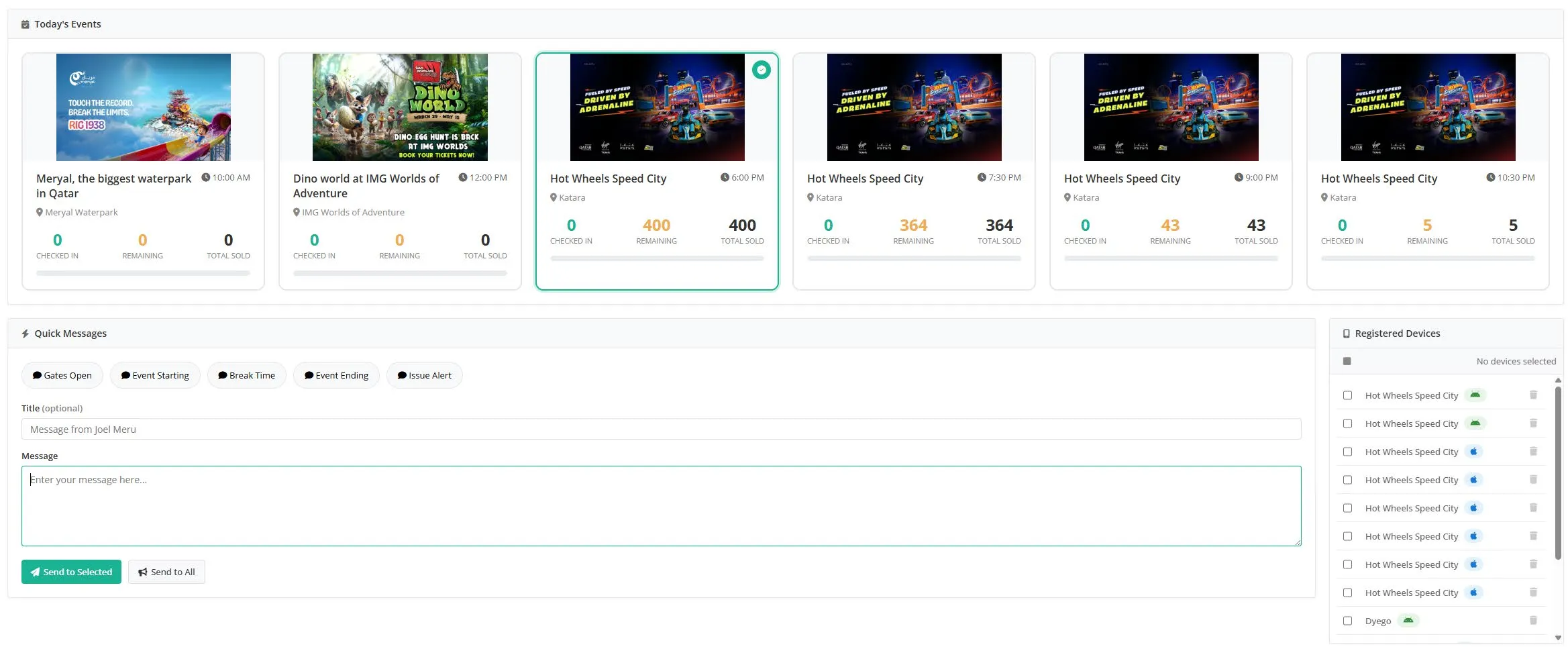
Tip: For event managers and admins: you can send real-time messages to all ushers and scanners from the tixity dashboard. Use this to share entry changes, gate information, or flag crowd issues - keeping your entire team aligned without radio chatter.
Tips
Tip: Check the notifications tab between scan sessions to stay updated on any operational changes. Critical alerts like gate closures are highlighted.